Queen's Domain plays like an old first-person dungeon crawler: no map screen, manual saves, a stamina-style Power Meter and enemies that shrug off the wrong kind of weapon. Most early deaths come from four habits. Below are the fixes for weak hits, lost progress, screen-filling ailments and fights that drain you dry.
3Damage types to match
38Enemies with a known weakness
9Status ailments
42Crystal Monuments and Wing Altars
Why your hits do so little damage
Damage in Queen's Domain depends on three things you control: how full your Power Meter is when you swing, whether your weapon's damage type matches what the enemy is weak to, and whether an ailment is cutting your output.
Fix 1
Swing with a full Power Meter
A hit only lands at full strength when the Power Meter is full. Every swing and every sprint drains it, so spamming attacks or running into a fight leaves you hitting for scraps. Back off a step, let the bar refill, then strike.
Fix 2
Match the enemy's weakness
Each enemy is weak to Slash, Impact or Pierce, and some resist one of them. A sword against a skeleton built to shrug off cuts wastes your Power Meter. Look the enemy up, then carry a weapon of the type it is weak to.
Fix 3
Clear Disease, then eat
Disease lowers the damage you deal and narrows your view with a black cloud. Rest at a Crystal Monument to clear it. Food raises your stats permanently alongside XP level-ups, so eat what you find instead of hoarding it.
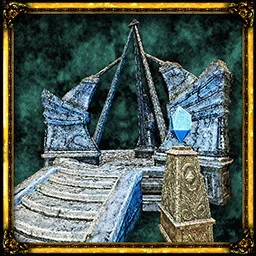
There is no autosave you can count on. Progress is written only when you save by hand at a Crystal Monument, so a death sends you back to the last one you used.
Fix 1
Save at every Crystal Monument you pass
Interact with the monument and save. Activating it also adds it to your travel network, and the island has 42 Crystal Monuments and Wing Altars combined.
Fix 2
Expect enemies to return
Resting at a monument respawns the enemies you killed. Clear a route, then decide whether to push on to the next monument or rest and fight the same room again.
Fix 3
Carry a Travel Crystal Fragment
A Travel Crystal Fragment takes you straight back to the last Crystal Monument you saved at. Keep one for caves and pits you cannot walk out of.
Patch 1.01.02 fixed accessory stats being applied wrongly after loading a save, so update the game if your numbers looked off after continuing.
PC players have released an unofficial quicksave mod; it is not part of the game and is not available on consoles.
Status ailments and their screen cues
Ailments announce themselves with an overlay on the screen. All nine wear off with time, and resting at a Crystal Monument clears any of them at once.